
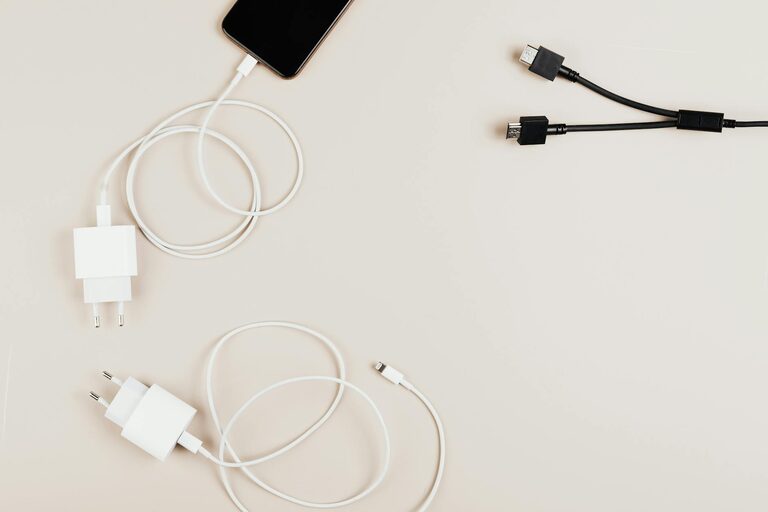
Keeping cables and chargers neat and organized can feel like a constant challenge, especially as our use of electronic devices grows. Tangled wires, lost chargers, and cluttered desks not only look messy but can also waste time and cause frustration. Fortunately, with a few practical strategies and tools, you can easily manage your cables and chargers to maintain a clean and functional space.
In this post, we’ll explore effective ways to organize cables and chargers, from sorting and labeling to storage solutions that fit any setup.
Why Organizing Cables Matters
Before diving into tips, it helps to understand the benefits of keeping cables orderly:
– Reduce Clutter: Avoid tangled wires that create visual chaos and take up more space.
– Save Time: Easily find the charger or cable you need without rummaging or untangling.
– Extend Cable Life: Proper storage prevents damage from bends and wear.
– Improve Safety: Organized cables reduce trip hazards and minimize overheating risks.
– Enhance Productivity: A tidy workspace helps focus and efficiency.
With these advantages in mind, let’s look at how you can organize cables effectively.
Step 1: Gather and Sort Your Cables and Chargers
Start by collecting all your cables, chargers, adapters, and related accessories from around your home or office. Lay them out so you can see everything at once. This helps you identify duplicates, cables you no longer need, or ones that don’t work.
Sorting Tips:
– Group cables by type (e.g., USB, HDMI, power cords).
– Separate chargers from cables.
– Keep device-specific chargers (like phone or laptop) together.
– Set aside cables that need repair or replacement.
Getting everything in one place makes the next steps smoother.
Step 2: Label Your Cables and Chargers
Labeling is a simple yet effective way to quickly identify what each cable or charger belongs to.
How to Label:
– Use small adhesive labels or masking tape.
– Write the device name or purpose clearly.
– Alternatively, color-coded stickers or markers can help visually categorize cables.
– For frequent travelers, consider reusable cable tags for easy removal.
Labeling prevents confusion and speeds up device charging or setup.
Step 3: Use Cable Management Tools
There are many affordable tools designed to keep cables tidy and organized. Some popular options include:
Cable Ties and Straps
– Reusable Velcro cable ties are flexible and gentle.
– Plastic zip ties offer a stronger hold but are one-time use.
– Use ties to bundle cables individually or group similar ones.
Cable Clips and Holders
– Stick-on cable clips keep wires fixed to surfaces like desks or walls.
– They’re especially helpful for charging cables frequently plugged in and out.
Cable Sleeves and Tubes
– Sleeve multiple cables together for a neat appearance.
– Sleeves come in fabric, neoprene, or plastic varieties.
– They protect cables from damage and reduce tangling.
Cord Boxes and Organizers
– Boxes designed to hide power strips and excess wire length.
– Some organizers have compartments for chargers and adapters.
Using these tools tailored to your needs makes organizing more efficient and helps maintain order over time.
Step 4: Designate Storage Spaces
Having a designated spot for cables and chargers avoids future clutter buildup.
Storage Ideas:
– Drawer Organizers: Use small containers or dividers in drawers to separate cables.
– Cable Bins or Boxes: Store less frequently used cables in labeled bins.
– Wall-Mounted Organizers: Pegboards or hanging racks can keep cables visible yet out of the way.
– Charging Stations: Create a dedicated area with multiple outlets and cable holders to charge devices in one place.
– Portable Pouches: For travel cables, use zipped pouches or cases designed specifically for tech accessories.
Remember to regularly maintain and tidy your storage spot to keep the system effective.
Step 5: Adopt Good Habits
Sustaining cable organization is easier when you develop consistent habits.
– Always wrap cables properly after use, avoiding tight knots or sharp bends.
– Return cables and chargers to their designated spots immediately.
– Periodically check and remove cables you no longer need.
– Label new cables as soon as you get them.
– Consider wireless options when possible to reduce the number of cables.
Good habits complement your organizing system and help prevent clutter from returning.
Bonus Tips for Specific Spaces
For Your Desk
– Use cable trays attached under the desk to keep wires off the floor.
– Clip cables to the edge of your desk to keep them accessible.
– Position power strips within reach but hidden.
For Entertainment Centers
– Label HDMI and audio cables clearly at both ends.
– Bundle TV, game console, and sound system cables separately.
– Use longer cable sleeves to group cables running behind furniture.
For Travel
– Use compact, segmented organizers with elastic loops.
– Keep only necessary cables to minimize bulk.
– Charge devices fully before packing to avoid carrying chargers unnecessarily.
Conclusion
Organizing cables and chargers might seem tedious at first, but the payoff is a clutter-free, efficient, and safer environment. By gathering your cables, labeling them, using appropriate organizing tools, assigning storage spaces, and practicing good habits, you can keep your tech accessories neat and easy to access.
Start small—perhaps with your work desk or entertainment area—and gradually expand your system. Your future self will thank you the next time you need a charger quickly or want to tackle wire tangles with ease!
Happy organizing!